


Tile Match Pro
4.31.24K Reviews
App Specs
- Version
- 1.23.0
- Updated On
- License
- Free
- Downloads
- 1,000,000+
- Developer
- Gimica GmbH
- Categories
- Puzzle
- Platform
- Android
Screenshots
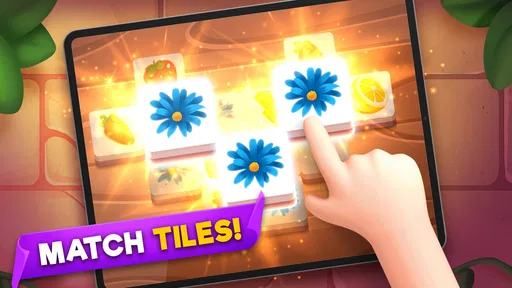
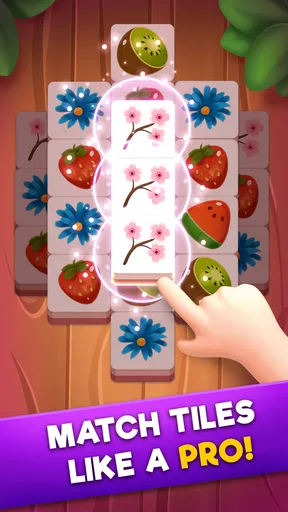
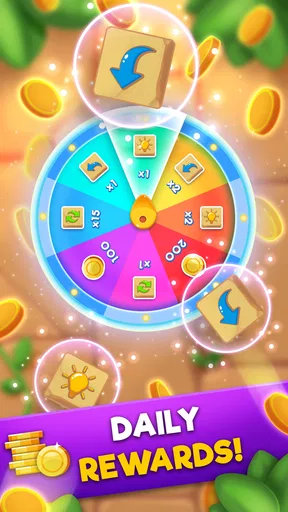
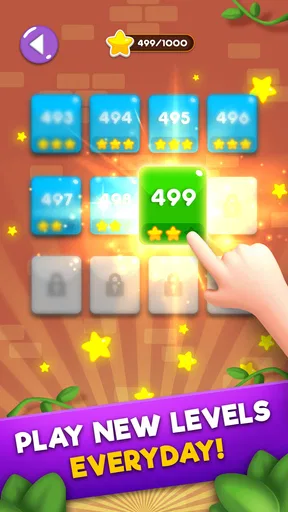
 Analysis by AppCompare
I enjoy puzzle games that are easy to understand but still reward a little discipline, and Tile Match Pro fits that description well. It is a free tile-matching game from Gimica GmbH, aimed at Everyone, with a simple starting point: look at the board, find matching tiles, and clear them with care. The appeal is immediate, but the better experience comes from learning how to read the board before making the obvious move.
I found it most useful as a short-session game rather than something I would play continuously for hours. It works well when I want a quiet break, a small mental challenge, or a way to occupy a few spare minutes without learning a complicated rule set. Its store summary, “Match Like A Pro,” is brief, but the real question is whether the matching format has enough decision-making to stay interesting. In my experience, it does, provided you enjoy planning more than frantic tapping.
How I approach a normal Tile Match Pro session
The basic workflow is straightforward. I scan the available tiles, identify a pair that can be selected, and think about what that move will expose or block. That last part matters more than it first appears. Matching the first pair I notice may clear space, but it can also leave awkward pieces behind or make the next choices harder to read.
My usual opening habit is to pause briefly before touching the board. I look for tiles that are partly covered, tiles sitting near the edges, and pairs that can reduce clutter without removing useful options. This small delay makes the game feel less random. It also prevents the common mistake of spending a good match simply because it is visible.
For a quick everyday example, I might open the game while waiting for a coffee or during a short break between tasks. I do not try to rush through the board. I make a few deliberate matches, stop when my attention is needed elsewhere, and return later when I want another short puzzle. That makes the game a better fit for casual players than for people searching for a long narrative or a competitive action experience.
The controls are approachable enough for someone who does not normally play puzzle games. There is no large rulebook to study before starting, and the central action is easy to understand from the first board. That accessibility is one of the strongest reasons I would suggest it to a friend who wants something relaxing but still slightly more active than a passive scrolling app.
At the same time, “easy to start” does not mean every board should be played automatically. The satisfying part is deciding which match improves the position. I often treat the board as a small workspace: first reduce the mess, then preserve flexibility, and only afterward take the pairs that are safest to remove. This approach is more reliable than selecting tiles in the order they catch my eye.
Worth Reading Before You Choose

EA SPORTS FC Mobile 26 Is a Bigger Football Game, but It Takes Time

Flipboard Shows What News Apps Must Do Beyond the Feed

Switching to Android Auto Means Rethinking Your Driving Routine

Google Calendar Makes a Crowded Week Easier to Manage

Ludo King Makes the Most of the Minutes Between Plans

Baby Panda World Brings Quick Play to Modern Phones, but Its Game Library Feels Busy
Tile Match Pro is free to download, while optional in-app purchases range from less than a dollar to almost thirteen dollars per item. I would therefore approach it as a free game first and decide later whether any optional spending genuinely improves my experience. The free entry point is useful because the matching format is easy to test without committing money before knowing whether the pace suits you.
Small habits that make the board easier to read
One practical tip is to separate “available now” from “valuable now.” A pair may be selectable immediately, but that does not make it the best choice. I first check whether another move can uncover more of the board or create several follow-up options. This is especially helpful when the layout becomes visually busy and several identical tiles compete for attention.
I also try to avoid narrowing my choices too early. If two pairs are both safe, I prefer the move that leaves different kinds of tiles available rather than the move that creates a visually tidy but restrictive area. This is a subtle trade-off: clearing more tiles is not always the same as improving the position.
Another useful habit is to use the board’s edges as reference points. I mentally divide the layout into small zones and check each zone before choosing. That reduces missed pairs and makes it easier to remember which tiles I have already considered. It is a simple method, but it gives the game a repeatable rhythm instead of turning each round into a search through visual noise.
Players who are used to very fast matching games may initially find this approach slow. I think that is intentional in practice, even if the game remains accessible. The enjoyment comes from observation and sequencing, not from tapping as quickly as possible. If you prefer rapid reactions, dramatic effects, or constant pressure, this may feel too gentle.
Settings and routine checks before playing
Before settling into longer sessions, I recommend checking the game’s available settings on your device and inside the game. I pay particular attention to sound, notifications, and any display or interaction options that affect comfort. I do not treat settings as an afterthought: a puzzle board is easier to judge when the screen is comfortable and interruptions are under control.
For a quiet break, I usually lower or mute sound if I am in a shared space. For home play, I may leave audio enabled if I want more feedback from each action. The important point is to adjust the experience to the situation rather than assuming the default setup will suit every session.
I also recommend checking the current version shown on your device before troubleshooting. The listed current version is 1.23.0, and the game supports Android 7.0 or later. That makes it accessible on a wide range of Android phones, although the actual feel can still depend on screen size, touch response, and how comfortably the board fits on your display.
If the tiles feel cramped, I would first try changing the phone’s display scale or using a device with a larger screen rather than blaming the puzzle design immediately. A crowded board is harder to scan, and accidental taps become more likely. Conversely, on a small screen, the game may be convenient for short rounds but less comfortable for extended play.
One setting-related habit I find valuable is deciding in advance when I will stop. Because the game is built around repeated boards and short decisions, it is easy to continue simply because another round is available. A timer is not necessary; even choosing “one more board” before starting keeps the session from expanding unintentionally.
There is also a practical question about spending. Since purchases are optional and individually priced between $0.99 and $12.99, I would avoid buying anything during a frustrating moment. I prefer to play enough free content to understand whether the game’s core loop works for me. If the basic matching already feels repetitive, an optional purchase is unlikely to solve that underlying issue.
Reading patterns instead of chasing the first match
Experienced play is less about finding pairs quickly and more about preserving future choices. I look for clusters where one match can reveal several useful tiles. When I see that kind of opportunity, I may leave an easy pair untouched for a moment and work toward the move with greater long-term value.
A second pattern is to treat isolated tiles carefully. An isolated tile may look harmless because it is easy to identify, but removing it can leave a less flexible board. I prefer to ask what the board will look like after the match, not merely whether the match is legal. That single question improves decision-making without requiring any special feature or hidden system.
I also use a two-pass scan. On the first pass, I identify obvious pairs and blocked areas. On the second, I compare the obvious pairs and choose the one that opens the most useful space. This is faster than repeatedly staring at the entire board without a plan, and it reduces the chance of overlooking a better sequence.
When several similar tiles are visible, I try to remember their locations before selecting one. That helps me avoid clearing a pair that would have been more useful after another section of the board changed. The technique is modest, but it turns visual memory into part of the puzzle and gives repeat players a clear way to improve.
Another trade-off concerns speed. Playing quickly feels efficient, but it can create mistakes that cost more time than a short pause would have. I find a steady pace better: scan, select, reassess. Players who want to relax may appreciate that rhythm, while players chasing a high-speed challenge may find it less exciting than dedicated timed puzzle games.
The game also works well as a low-pressure mental reset because the rules remain familiar from round to round. I can focus on one decision at a time without learning new controls. However, that consistency is also the source of its main limitation. If you need constant novelty, story progression, or a wide range of puzzle types, the focused tile-matching format may eventually feel narrow.
Where the simple design starts to show its limits
Tile Match Pro is strongest when I want a clear, self-contained puzzle loop. It is not the right choice for someone looking for an adventure game, a social competition, or a deep logic title with many different rule systems. The category matters here: this is a puzzle game built around matching tiles, not a broad collection of unrelated challenges.
Compared with a traditional match-three game, the experience feels more deliberate because the important question is often which available pair to remove first. Match-three alternatives usually emphasize creating combinations through board movement, while this format puts more weight on visual recognition and sequencing. I prefer Tile Match Pro when I want calmer planning; I would choose a match-three game when I want cascades, chain reactions, and more immediate spectacle.
Compared with a classic crossword or Sudoku app, it is easier to begin and less dependent on language or formal deduction. That makes it friendlier for a quick break, but it may not provide the same depth for players who enjoy constructing long arguments or solving a single problem over a sustained period. Tile Match Pro sits between relaxation and light strategy rather than aiming for intense intellectual complexity.
Compared with minimalist offline puzzle games, the presence of optional purchases is worth considering. Some players are perfectly comfortable with free-to-play structures; others prefer paying once and avoiding any purchase prompts. If your ideal puzzle app is completely frictionless and purchase-free, a premium alternative may suit you better even if its core mechanics are less immediately approachable.
Another limitation is that the game’s accessibility can make it feel familiar very quickly. The low barrier to entry is a benefit for new players, children, and casual users, but expert puzzle fans may want more variation than the central matching routine provides. I would not recommend it as a sole game for someone who needs constant escalation.
The Everyone content rating makes it suitable for a broad audience, and I can see it working well for family members who want to compare approaches without learning complicated controls. Still, younger or less experienced players may benefit from being shown the value of looking ahead rather than simply tapping the first visible pair. The game is approachable, but good habits are not automatic.
Who should install it and who should skip it
I would recommend Tile Match Pro to casual puzzle players, people who enjoy visual organization, and anyone who wants a short game that can be understood almost immediately. It is also a sensible choice for someone moving away from fast action games and looking for something calmer. The free price makes that trial easy, while the broad age rating keeps the audience open.
I would be more cautious about recommending it to players who dislike repeated board-based gameplay or who expect a strong narrative, character development, or competitive multiplayer. I would also point dedicated Sudoku, crossword, or strategy fans toward their preferred formats if they want deeper deduction rather than tile recognition.
The game has reached over a million installs, and its average rating is 4.3 from roughly ten thousand ratings, with about one thousand reviews. Those figures suggest that the format has found a substantial casual audience, but they should not replace personal testing. A popular matching game can still be a poor fit if you find the loop repetitive or do not enjoy planning around visual clutter.
When I recommend it, I usually explain that the best results come from slowing down slightly. It is not about proving how quickly you can tap. It is about spotting the match that leaves the board in a better state. That advice makes the game more satisfying and also gives beginners a clear way to improve without needing complicated tutorials.
My verdict after settling into the matching rhythm
Tile Match Pro is at its best as a calm, repeatable puzzle break. I like that the basic action is immediately understandable, yet careful sequencing gives experienced players something to think about. The most useful improvement is not a secret trick: it is learning to scan in zones, preserve flexible choices, and judge the result of a match before committing to it.
Its weaknesses are equally clear. The focused format may become repetitive, optional purchases may not appeal to everyone, and players seeking dramatic progression will find better options elsewhere. I would not install it expecting a deep strategy campaign or a constantly changing puzzle library.
For my own use, the deciding factor is convenience. I can pick it up for a short session, play without a long explanation, and stop after making a few thoughtful decisions. That makes it a good companion for waiting rooms, quiet evenings, and small breaks when I want my attention engaged but not overwhelmed.
Gimica GmbH has kept the central idea accessible, and the current release gives Android users on version 7.0 or newer a straightforward way to try it. If you enjoy matching tiles and are willing to look one move beyond the obvious pair, I think it is worth trying for free. If you need variety, story, or a purchase-free premium experience, I would choose a different puzzle style instead.
My final advice is to give the first sessions a fair test using a deliberate routine: check the board by sections, protect useful options, and pause before clearing an easy pair. That approach reveals what the game does well. Once the board starts to feel like a small planning exercise rather than a pile of pictures, the title’s simple design becomes its main strength.
Pros
- Simple tile-matching rules are easy for beginners to understand.
- Short levels make it convenient for quick gaming sessions.
- Progressive challenges help maintain interest over time.
- Offline play is useful when an internet connection is unavailable.
- Relaxing gameplay suits players looking for a low-pressure puzzle.
Cons
- Later levels can feel repetitive after extended play.
- Some puzzles may depend heavily on luck.
- Hints or extra moves may be limited without rewards or purchases.
- Frequent ads can interrupt the flow between levels.
- Small tile details may be difficult to see on compact screens.
FAQs for Tile Match Pro
What is Tile Match Pro and how is it played?
Tile Match Pro is a tile-matching puzzle game in which you select identical tiles from a board and place them into a limited tray. Matching three of the same tile clears them and creates space for new moves. The objective is to remove every tile before the tray fills up. As levels progress, layouts become more complex and require careful planning rather than simply tapping the first available match.
Is Tile Match Pro free to download and play?
Tile Match Pro can generally be downloaded and played without an upfront purchase, although the exact free content and monetization options may vary by platform or version. Players may encounter advertising, optional boosters, or in-app purchases designed to provide extra assistance. Before downloading, it is worth checking the store listing for current pricing, subscription details, and whether purchases can be protected with device-level approval settings.
Does Tile Match Pro work offline?
Many of the core tile puzzles in Tile Match Pro may be playable without a continuous internet connection, which makes the game convenient for travel or areas with limited service. However, certain features—such as advertisements, online events, cloud synchronization, leaderboards, or reward systems—may require connectivity. If offline access is important to you, test a few levels after disabling mobile data and Wi-Fi, since requirements can differ between updates and devices.
Are there hints, shuffles, or other boosters in Tile Match Pro?
Tile Match Pro typically includes assistance tools intended for difficult boards, such as hints that reveal a possible move, shuffles that rearrange available tiles, or options that undo a recent action. These tools can be useful when the tray is nearly full, but they are usually limited by an in-game currency, a cooldown, or rewarded advertising. Using them strategically is important because relying on assistance too early can leave you without help on later stages.
Is Tile Match Pro suitable for children and casual players?
Tile Match Pro is easy to understand and generally suitable for casual players who enjoy short, relaxing puzzle sessions. The matching rules are simple, although later levels can require concentration, memory, and forward planning. Parents should still review the app’s age rating, advertising, privacy information, and in-app purchase settings before allowing children to play. The presence of ads or optional purchases may make parental controls advisable.


